Where it lives
Editor environment
Chat Video Pro
Inside Adobe Premiere Pro (CEP panel)AutoPod
Inside Adobe Premiere Pro (Extensions menu) + DaVinci Resolve (Scripts)Best for this rowTie
Comparison
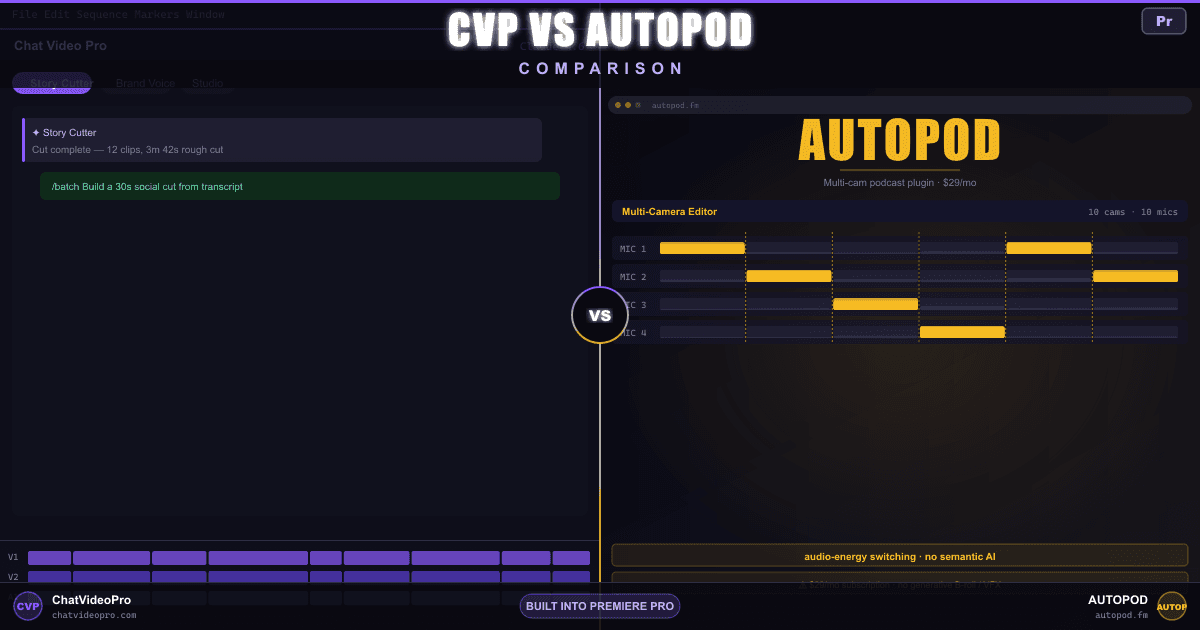
AutoPod automates multi-cam switching and silence cuts for video podcasts on a subscription. Chat Video Pro does the same multi-cam and silence work in Premiere via transcript-aware Story Cutter — plus brief-driven rough cuts, /batch deliverables, and a full generative Studio — sold as a one-time license.
At a glance
Same multi-cam problem, different decision logic — see who wins on scope and pricing.
Editor environment
Chat Video Pro
Inside Adobe Premiere Pro (CEP panel)AutoPod
Inside Adobe Premiere Pro (Extensions menu) + DaVinci Resolve (Scripts)License + ongoing cost
Chat Video Pro
$149.99 one-time + wholesale AI usageAutoPod
$29/mo billed monthly; $313.20/yr on annual checkout (~$26.10/mo effective; one month free vs monthly); 30-day free trial; no enterprise tier — buy multiple licenses at the same rateHow angle selection is decided
Chat Video Pro
Transcript-driven — Story Cutter picks angles based on what is being said + briefAutoPod
Per-track speaker detection — Multi-Camera Editor switches from separate mic tracks (up to 10 cams; shared audio will not work)Dead air cleanup
Chat Video Pro
Yes — side effect of Story Cutter transcript-driven assemblyAutoPod
Yes — Jump Cut Editor with adjustable dB threshold (silence only; not filler words)9:16, 4:5, and 16:9 deliverables
Chat Video Pro
Yes — /social clip + Studio re-frameAutoPod
Yes — Social Clip Creator (16:9, 4:5, 9:16)LLM reasoning over the transcript
Chat Video Pro
Yes — Claude, GPT-5.5, or Gemini route through your own API keyAutoPod
Runtime, hook, CTA, platform
Chat Video Pro
Yes — Story Cutter writes a paper edit from your briefAutoPod
Multiple cuts from one transcript
Chat Video Pro
Yes — /batch produces TikTok, YouTube, and long-form in one messageAutoPod
Cinematic B-roll, AI clips
Chat Video Pro
Yes — Sora, VEO, Kling, Seedance, Hailuo via StudioAutoPod
Post-production generative stack
Chat Video Pro
Yes — Studio: Cinematic Lab, Motion Director, Relight, Rotoscope (SAM3), Erase, AI TransitionsAutoPod
YouTube-ready stills from frames
Chat Video Pro
Yes — Studio thumbnail modeAutoPod
Talking-head and screen-recording edits
Chat Video Pro
Yes — works equally well on single-cam materialAutoPod
Partial — Jump Cut Editor works; Multi-Camera Editor needs multiple tracksCoverage outside Premiere
Chat Video Pro
AutoPod
DaVinci Resolve via Workspaces → Scripts (same license; Free Resolve limited on 19.1+)No recurring subscription
Chat Video Pro
Yes — $149.99 BaseAutoPod
Direct provider rates, no markup
Chat Video Pro
Yes — Anthropic, OpenAI, Google, Fal.aiAutoPod
Deep dive
Workflow
Chat Video Pro
AutoPod
Capabilities
Chat Video Pro
AutoPod
Pricing
Chat Video Pro
AutoPod
Verdict
FAQ
For editors who need transcript-aware semantic reasoning, brief-driven rough cuts, batch multi-platform deliverables, generative B-roll, and a one-time license — yes, Chat Video Pro is the broader and more cost-effective alternative. For editors who only need per-track multi-cam auto-switching, jump cuts, and social resizing on a single recurring podcast, AutoPod remains a credible focused tool. The decision usually comes down to scope: AutoPod replaces one slice of the workflow; Chat Video Pro replaces that slice and the rest of the post-production stack.
Yes. Build your multi-cam stack on V1/V2+ in Premiere, transcribe the sequence to JSON, and Story Cutter assembles a transcript-driven multi-cam cut by routing the request through Claude, GPT-5.5, or Gemini. The decision logic is different from AutoPod: Chat Video Pro picks angles from transcript meaning and your editorial brief; AutoPod switches from per-track speaker activity on separate mic tracks (and needs one track per speaker). Both approaches have merit — Chat Video Pro is stronger for long-form narrative shows, AutoPod is fast for high-energy crosstalk podcasts with clean mic separation.
Yes, through Chat Video Pro. Connect an Anthropic Claude, OpenAI GPT-5.5, or Google Gemini 3.1 Pro API key in the Gear → AI Providers panel, and Story Cutter routes every podcast rough cut through the model you choose. You bring your own key, pay the provider at retail with no platform markup, and the wholesale token bill for a busy month is typically well under $10.
Per published rates at time of writing, AutoPod is $29 per month or $313.20 per year on annual checkout (one month free vs monthly billing). Chat Video Pro is a one-time license — $149.99 Base or $199.99 Creator Bundle — plus typically $5–$10 per month in BYOK Claude or GPT-5.5 tokens. Over three years, Chat Video Pro lands roughly $430–$610 cheaper than AutoPod’s annual billing, before counting the value of the Studio generative features AutoPod does not include.
7-day money-back guarantee on the $149.99 Chat Video Pro license. Bundle add-ons (templates, presets, Founder Onboarding) and any AI generation already spent are non-refundable. Refunds are processed through Lemon Squeezy.
Yes. The /batch slash command in Story Cutter takes one transcript and produces multiple deliverables in a single message — for example a 90-second TikTok cut, an eight-minute YouTube cut, and a long-form podcast assembly. Combined with /select for selects passes, /social clip for vertical extracts, and /top 5 soundbites for client reels, an editor can ship a full deliverables package from a single Story Cutter session. AutoPod’s Social Clip Creator handles vertical resizing but does not assemble brief-driven cuts from a transcript.
Adobe Premiere Pro ships with built-in Text-Based Editing in the Text panel and a free Auto Cut tool, both included with any Creative Cloud subscription. They handle basic transcript selection and silence cleanup but do not perform brief-driven semantic rough cuts, podcast multi-cam switching, or social resizing. They are a starting point, not a complete AutoPod replacement. Chat Video Pro Story Cutter is the closest paid alternative that goes beyond Adobe’s built-in tools without putting you on a recurring subscription.
Yes — silence removal is a side effect of Story Cutter’s transcript-driven assembly. When the model selects which sentences to include based on your brief, the silence between sentences is naturally cut. For editors who want explicit silence-only cleanup without an AI-driven assembly, Chat Video Pro’s Studio also exposes the Premiere Auto Cut features alongside its other workflows.
For solo podcasters — one camera, one microphone, talking-head format — AutoPod’s Multi-Camera Editor does not apply, leaving only the Jump Cut Editor and Social Clip Creator. Chat Video Pro Story Cutter is a stronger fit there because it works equally well for single-speaker and multi-cam footage, can write a brief-driven rough cut from a single source clip, and includes /social clip for vertical extracts and AI thumbnails out of the box — all under one one-time license.
Yes. A common pattern: keep AutoPod for high-energy multi-cam crosstalk shows where per-track auto-switching feels faster, and use Chat Video Pro Story Cutter for transcript-driven narrative cuts, /batch deliverables, and everything past the rough cut (generative B-roll, color, VFX, thumbnails). Both live in Premiere’s Extensions menu, so nothing to uninstall during the evaluation.
Keep exploring
$149.99 one-time license. Wholesale AI billing. 7-day money-back on the license.
No subscription · Works on Mac & Windows · Premiere Pro required